> For the complete documentation index, see [llms.txt](https://infinitypbr.gitbook.io/magic-pig-games/llms.txt). Markdown versions of documentation pages are available by appending `.md` to page URLs; this page is available as [Markdown](https://infinitypbr.gitbook.io/magic-pig-games/projectile-factory/projectile-factory-documentation/spawn-behavior.md).
# Spawn Behavior
v1.0
The **SpawnBehavior** class determines how projectiles are spawned from the spawner. While there are a lot of options, enabling a huge array of behaviors, you can create custom classes which inherit from `SpawnBehavior` to add unique custom functions.
## Number of Projectiles
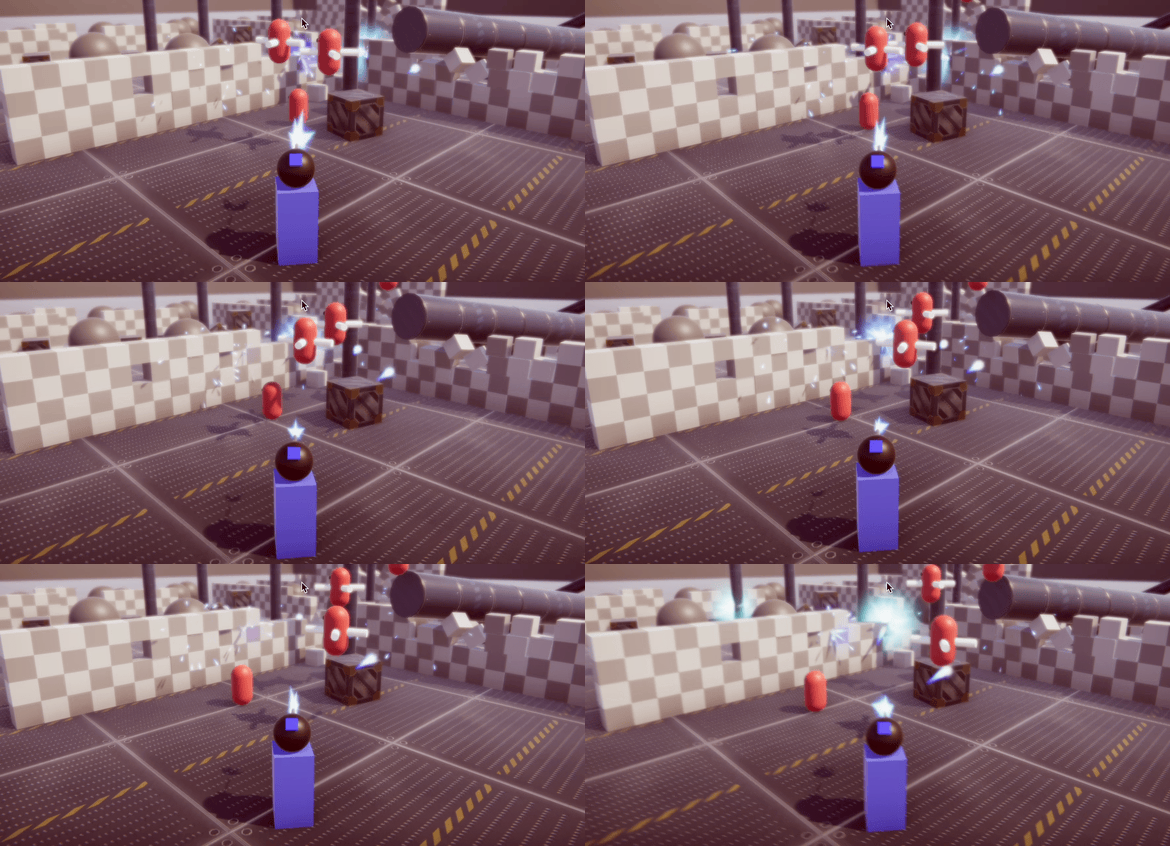
This determines how many projectiles are fired per volley. Note that if you want a "machine gun" effect, keep this value set to `1`, and the "Repeat Count" value `-1`. This means that 1 projectile will be fired, repeating forever until the Launch sequence is stopped.
This is 6 shots per volley, with a short delay between each volley
## Multi Shot Behavior
Your options are "*Allowed*", "*Blocked*", and "*Stop Active Shot*".
This determines how to handle situations where a new "Fire" command is sent while the Launch sequence is active. `Allowed` means a new sequence will start, while the current one continues.
`Blocked` means the new sequence will not start, and `Stop Active Shot` will stop the current sequence and start a new one.
## Delay Before First Projectile
This is a delay that occurs before the first projectile is fired.
{% hint style="info" %}
This delay only occurs ***one time*** per `LaunchProjectiles` call, even if the spawner repeats forever. This is useful for situations where you have a "warm up" period before the projectiles begin firing.
{% endhint %}
## Delay Between Projectiles
This is the delay between multiple projectiles in the same volley. If there is only `1` projectile, then this is ignored. Note there is an additional delay between volleys you can set as well.
## Switch Spawn Points Between Shots
If you have multiple **Spawn Points** set on your [**Projectile Spawner**](/magic-pig-games/projectile-factory/projectile-factory-documentation/projectile-spawner.md), this will switch between them between every shot. The [**Spawn Point Manager**](/magic-pig-games/projectile-factory/projectile-factory-documentation/spawn-point-manager.md) will help determine exactly how the next Spawn Point is chosen.
Note there is also an option to *Switch Spawn Points Between Volleys*, which can be used to switch only when one volley of shots completes.
## Position Offset from Spawn Position & Forward Offset from Spawn Position
These values will offset the spawn location relative to the direction the Spawn Position is facing.
Who says shots have to always go straight?
{% hint style="info" %}
**Spread Options** allow for multiple shots to be spread out in unique ways. While they generally would be used with a `NumberOfProjectiles` value that is greater than 1, the `Spread Angle X` and `Y` values can be used with a single shot to provide a random directional inaccuracy.
{% endhint %}
1 Projectile, no spread
5 Projectiles, 45 degree spread
## Start Angle X & Y
These offset the starting angle of the shot, relative the the forward direction of the Spawn Point.
## Spread Angle X & Y
Multiple shots will be spread out over this total angle, in the positive and negative direction of the Spawn Point forward.
## Spread Pattern X & Y
These determine how the spread is calculated.
`Random` is entirely random between the minimum and maximum spread angle, while `Random Intervals` will first determine equal intervals (based on the Number of Projectiles), and then randomly choose one of them. `Random Intervals No Repeat` will ensure that each interval is used once per volley.
`Negative to Positive` is "left to right" or "bottom to top", and `Positive to Negative` is the opposite, for X and Y respectively.
Random Spread
Negative to Positive (X) spread
## Can Stop Mid Spawning
When true, the active volley will stop when the **ProjectileSpawner** `Stop` method is called. Otherwise, it will continue until the full `Number of Projectiles` have been created.
Spawning will stop if the Spawner is destroyed or disabled, however.
## Stop on Spawner Destroy
When true, if the Projectile Spawner is missing or destroyed, spawning will stop.
## Repeat Count
A value of `-1` allows for an infinite repetition. A value of `0` or `1` means only one volley will be created.
## Repeat Delay
You can set a delay value between volleys here. This only occurs after a volley has completed.
## Switch Spawn Points Between Volleys
When true, the Spawn Point will switch (if multiple Spawn Points exist) between each Volley.
{% content-ref url="/pages/yyEuyK09NuApk8jSEbXs" %}
[Broken mention](broken://pages/yyEuyK09NuApk8jSEbXs)
{% endcontent-ref %}
{% content-ref url="/pages/mf79eKiFrpOh9lkyHdx5" %}
[Broken mention](broken://pages/mf79eKiFrpOh9lkyHdx5)
{% endcontent-ref %}
{% content-ref url="/spaces/-MY3N\_li2jPq7az6mYfq/pages/KcOTS1fTpuuTbDogO0gD" %}
[Spawn Behavior Code](/magic-pig-games/projectile-factory/projectile-factory-documentation/spawn-behavior/spawn-behavior-code.md)
{% endcontent-ref %}