🌈CUSTOM COMPONENT NAMES

v1.0

Create Component Names makes your Unity Inspector easier to read by allowing custom display names and colors for component headers and object references. It’s perfect for complex GameObjects, modular systems, and designer-friendly workflows.

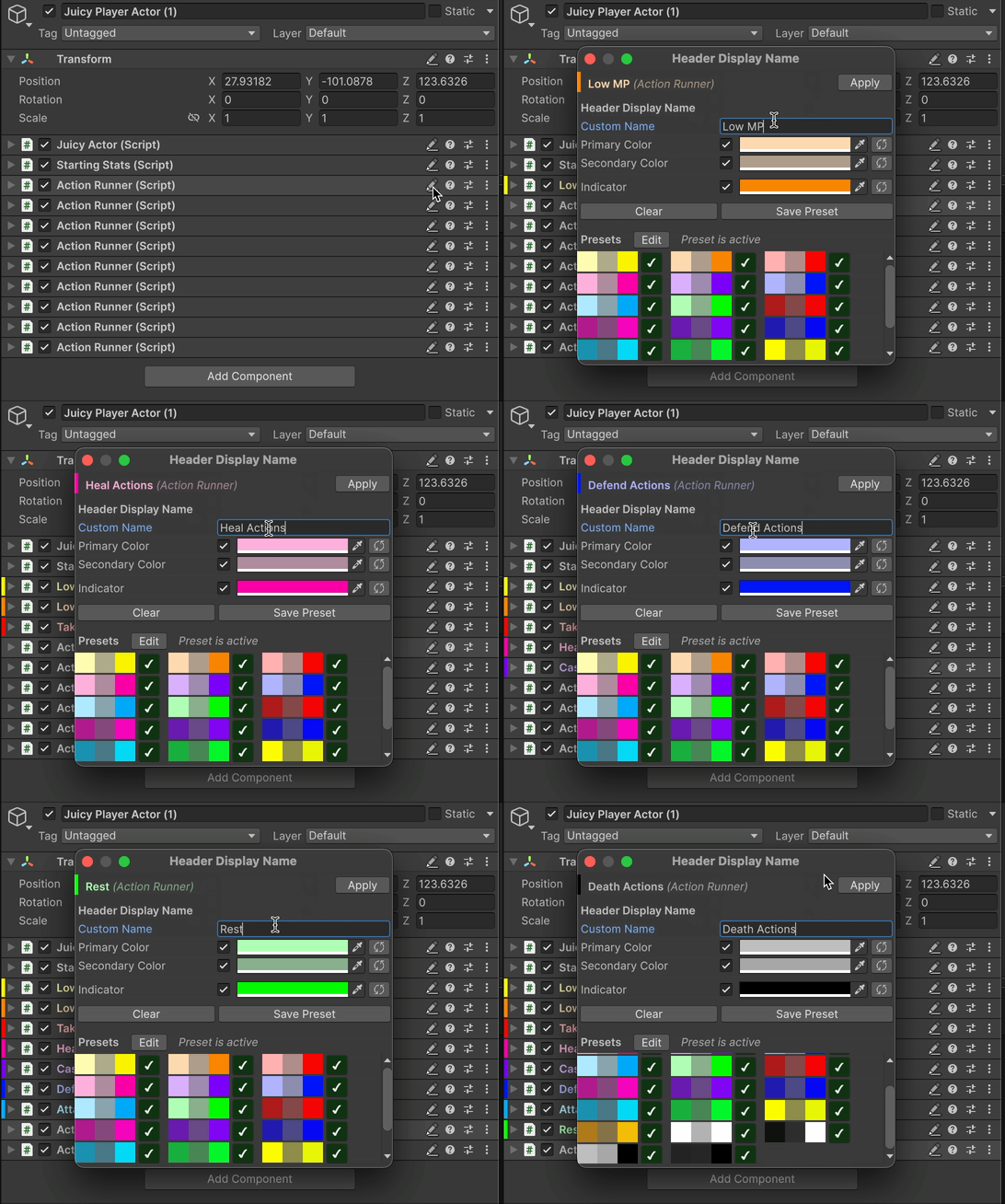
Maybe you won't have THIS MANY of the same component...but maybe you will!

Quick Start

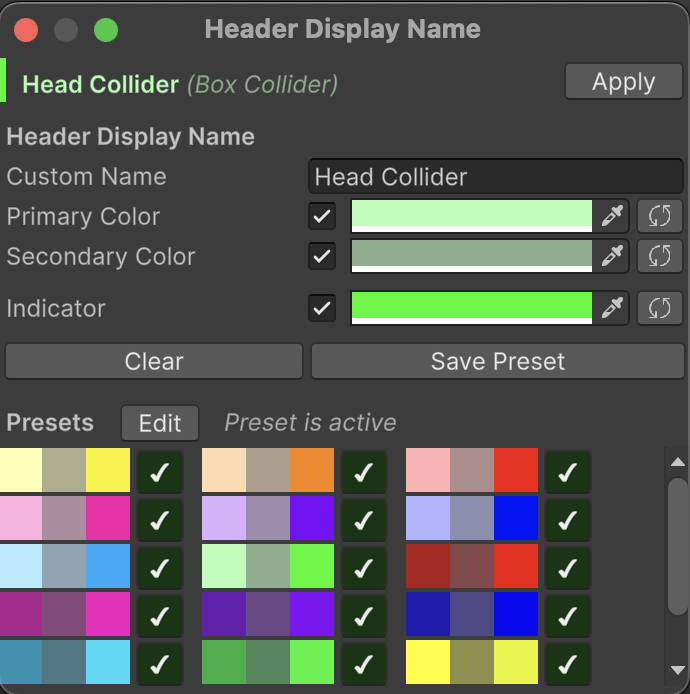
After importing the package, visit any Inspector and you'll find a new icon in the header row. Click it, and you can name your component and optionally apply colors. Select a preset if you'd prefer.

Click that pencil icon!
Type in a Custom Name, and toggle on/off the various colors.

Devs may find this far easier to read, especially in situations where one object has multiple components of the same type.
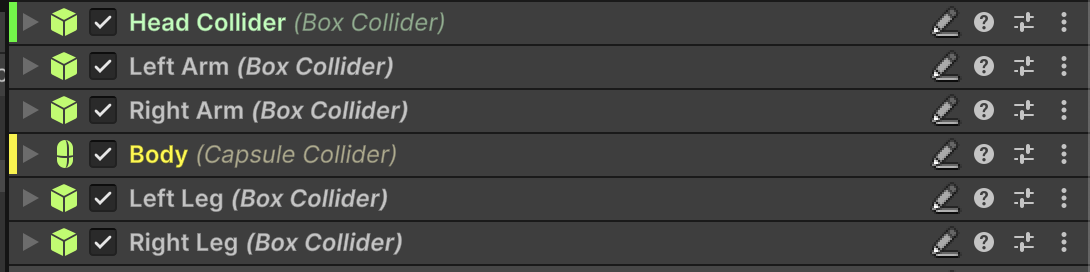
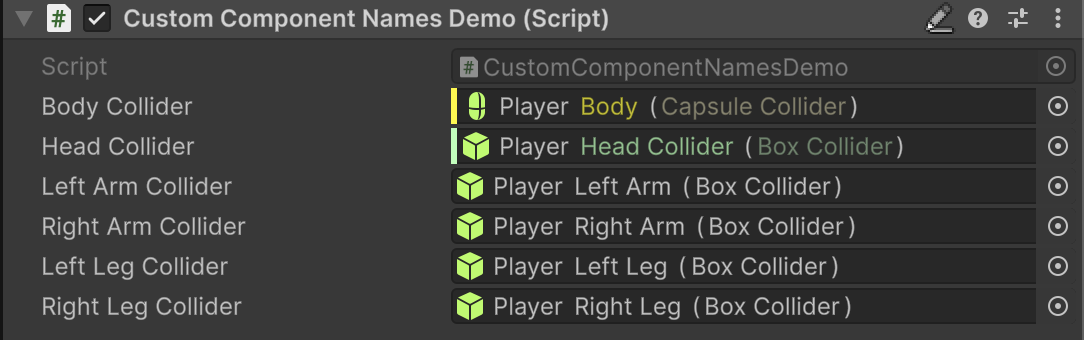
That's it!

Now when you drag these components into object fields, they'll also display their custom name!

Turn Off Object Field Treatment

If you'd like to turn off the object field treatment, you can toggle this via the menu option Tools/Magic Pig Games/Custom Component Names/Show Custom Names In Object Fields.

Managing Presets

circle-check

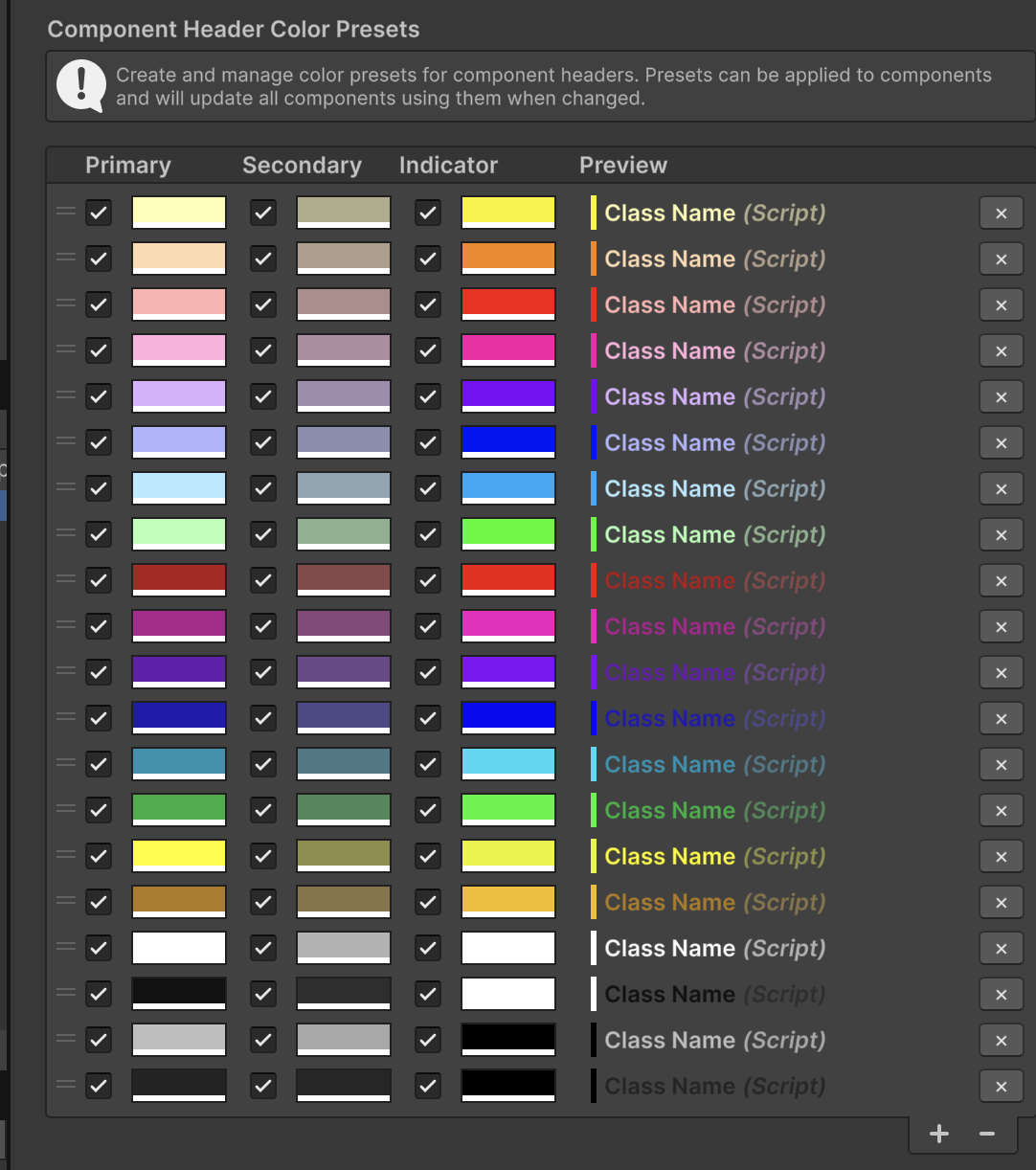
Find the ComponentHeaderColorPresets object in the scene. The custom Inspector will show you all the presets, along with a preview of them. Some will look better with the "Dark Skin", others the "Light Skin". You can delete or reorder the presets here as well.

If you have any questions or find any bugs, please visit the Discordarrow-up-right and open a support ticket in the support forum!

Last updated