> For the complete documentation index, see [llms.txt](https://infinitypbr.gitbook.io/magic-pig-games/llms.txt). Markdown versions of documentation pages are available by appending `.md` to page URLs; this page is available as [Markdown](https://infinitypbr.gitbook.io/magic-pig-games/projectile-factory/overview-and-quickstart/faqs-+-important-reminders.md).
# FAQs + Important Reminders
v1.0
## My objects disappear right after being spawned
Check to see if there is a *Destroy on Collision* behavior. Depending on the Projectile, some can be destroyed as soon as they collide, as in situations where they also spawn an "impact" particle that isn't part of the projectile.
In other cases, the Projectile will have particles that need to finish their lifetime. If this isn't happening, check the Destroy behavior, and add time to the `destroyDelay` value.
## Objects go back to the Object Pool too soon
As soon as the "Destroy" call happens, the object will be sent back to the pool. However, using the `destroyDelay` value, you can force the Object Pool to hold the object for some period of time before making it available to be pulled back out.
Similar to the "My objects disappear" question, this often comes into play when the Projectile needs to finish some lifetime effects, like audio or particles, after it has Collided.
## My projectiles don't collide; Fly right through objects
Check to make sure the Collision Mask is set up on the [**Projectile Spawner**](/magic-pig-games/projectile-factory/projectile-factory-documentation/projectile-spawner.md) object. Scripts which have a `LayerMask` option will default to inherit this from the Projectile Spawner including Collision Behaviors. Each [**Projectile**](/magic-pig-games/projectile-factory/projectile-factory-documentation/projectile.md) can override this value -- make sure that your Projectiles aren't changing this to an undesired setting.
Also make sure you have some mechanism to collect hits -- either a `collider` on the object, or a raycast behavior on the Projectile.
And, make sure that you have a behavior that actually does something on collision. Otherwise, nothing will happen beyond any physics interactions like bumps.
## Reminder: Set the layer of your projectiles to "Projectile" or something similar
By default, your projecitles may be in the "Default" layer. Often projectiles will also collide with "Default" and other specific layers. Generally you'll want your Projectiles to be in their own layer, and it's easy to forget to do this.
## "Trails" seem to warp when the Projectile is recylced from the Object Pool
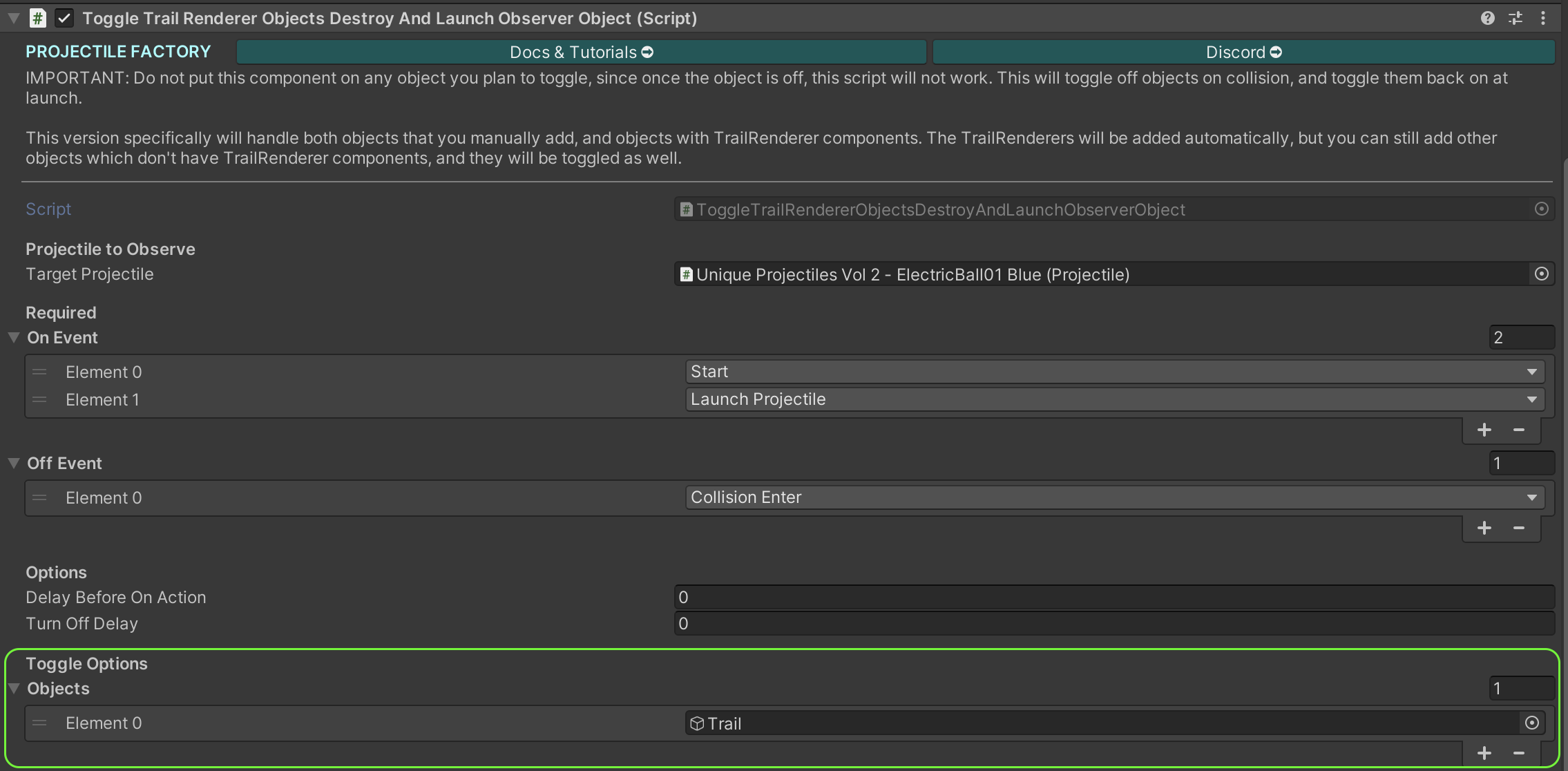
This occurs because the trail is "on" when the projectile is recycled, so you see the trail travel from it's last position to the spawn point. You'll need to ensure the trail is off at this point. To do this, we've included the `ToggleTrailRendererObjectsDestroyAndLaunchObserverObject.cs` component.... **long name!**
This is an [**Observer Object**](/magic-pig-games/projectile-factory/projectile-factory-documentation/observers-global-observers-and-observer-objects.md), which has access to all the lifecycle events on the Projectile. Add this to your Projectile. Important: Do not add this to an object you will be toggling on/off, as once that object is off, this component will not perform any actions, and can not turn itself back on.
`Trail` components in the children of the object you add this to will be automatically populated. You can also add additional objects if it makes sense, and select the specific lifecycle events on which to turn the objects on and off.
Also make sure the `Trail` component is not being destroyed. The Trail component has an option "Auto Destruct". Make sure this is `false`.