> For the complete documentation index, see [llms.txt](https://infinitypbr.gitbook.io/magic-pig-games/llms.txt). Markdown versions of documentation pages are available by appending `.md` to page URLs; this page is available as [Markdown](https://infinitypbr.gitbook.io/magic-pig-games/juicy-actions/action-executor.md).
# Action Executor
v1.0
## Action Executor Action Sequences
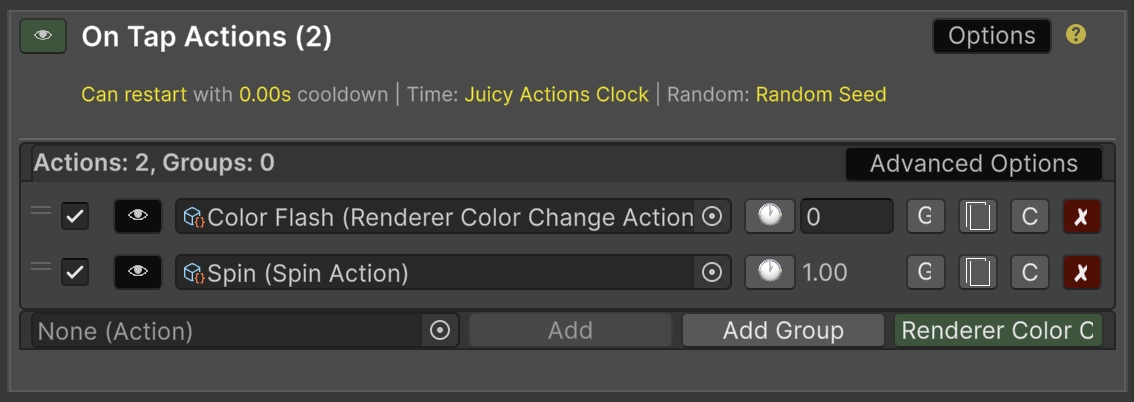
Juicy Actions is designed to make adding complex behavior to your game as simple as dropping in a component. An `ActionExecutor` lets you chain together reusable “Actions” that run in order, in parallel, or with conditions. You don’t have to write boilerplate logic every time you want to trigger a sequence — just configure your actions in the inspector and let the system do the work.
This is the Action Executor in the Inspector!
### Add Action Executors to Your Own Classes
Want your character, enemy, or interactive object to run a sequence of Actions?
Just add an `ActionExecutor` field to your `MonoBehaviour`, populate the list in the Inspector it with actions, and call it when needed. The executor handles timing, pausing, and overrides for you.
```csharp
public ActionExecutor onHitActions;
public GotHit(int damage){
onHitActions.Execute(this); // Execute the actions!
// Other code...
}
```
### Use the Action Runner
Sometimes you want a set of actions that always run as soon as the object is active — a looping animation, a particle sequence, or constant background behavior. The [**Action Runner**](broken://pages/c6Np0pcNRrpgQh6IsINl) component is built for this: attach it to any `GameObject`, fill in the actions, and they’ll play automatically.
### Trigger Actions with Events
For even more convenience, use [**Action On Event**](/magic-pig-games/juicy-actions/action-on-events-and-action-runner.md) components. These are ready-made scripts like:
* **`ActionOnEnable`** – run a sequence when an object is enabled.
* **`ActionOnTriggerEnter`** – start a sequence when something enters a trigger.
* **`ActionOnClick`** – respond to mouse clicks.
Each `ActionOnEvent` takes care of cooldowns, restart rules, and stopping actions when needed. All you do is drop it on a `GameObject`, assign your actions, and the events drive the sequences.
## Simple Mode
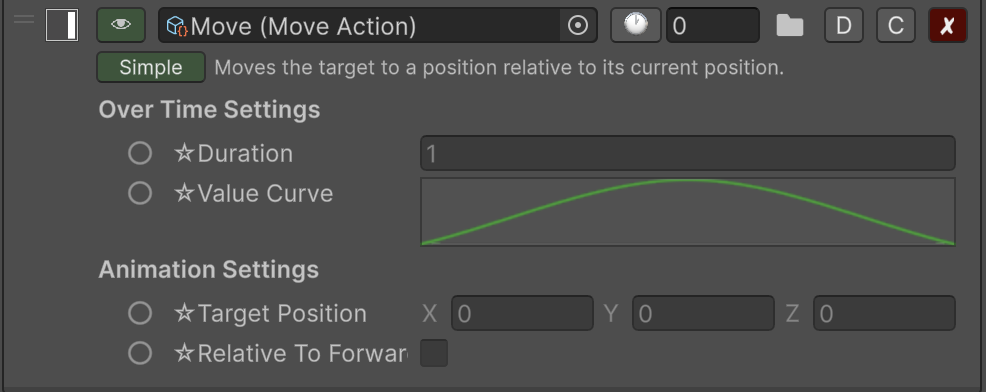
Most Actions will have a "Simple Mode" that focuses on the fields required to do a singular very common thing with the Action. Below, the `MoveAction` will move the target to a position relative to its current position, optionally relative to its forward direction. The target is the object the Action is attached to.
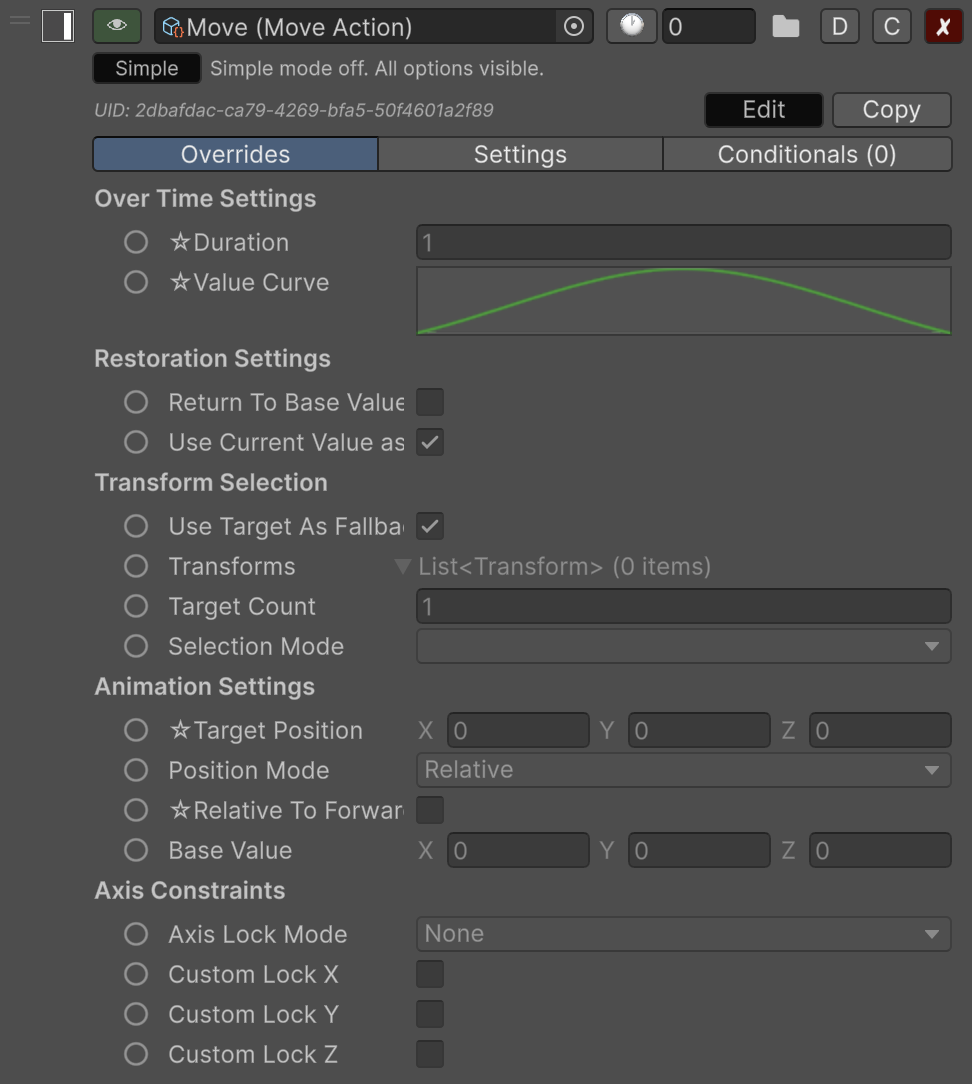
Click the "Simple" button toggle this mode off and reveal all of the settings, allowing you to choose different or multiple targets, and additional logical options.
{% hint style="success" %}
"Simple Mode" only affects the display in the Inspector. Any options set will be utilized at runtime even if the "Simple Mode" is active.
{% endhint %}
***
✨ In short:
* Add executors to your scripts when you want full control.
* Use `ActionRunner` for always-on sequences or quick action lists.
* Use `ActionOnEvents` to hook into Unity’s event system with zero coding.
***
{% content-ref url="/pages/JGtmV5brTtkAPIKp0J5j" %}
[Action Executor](/magic-pig-games/juicy-actions/action-executor/action-executor.md)
{% endcontent-ref %}