> For the complete documentation index, see [llms.txt](https://infinitypbr.gitbook.io/magic-pig-games/llms.txt). Markdown versions of documentation pages are available by appending `.md` to page URLs; this page is available as [Markdown](https://infinitypbr.gitbook.io/magic-pig-games/game-modules-4/game-modules-viewer.md).
# Game Modules Viewer
v4.1
The `GameModulesViewer` component reveals the live data associated with your Game Modules enabled objects during runtime, and allows for various edit time and run time modifications. This works on Prefabs as well as objects in the Scene!
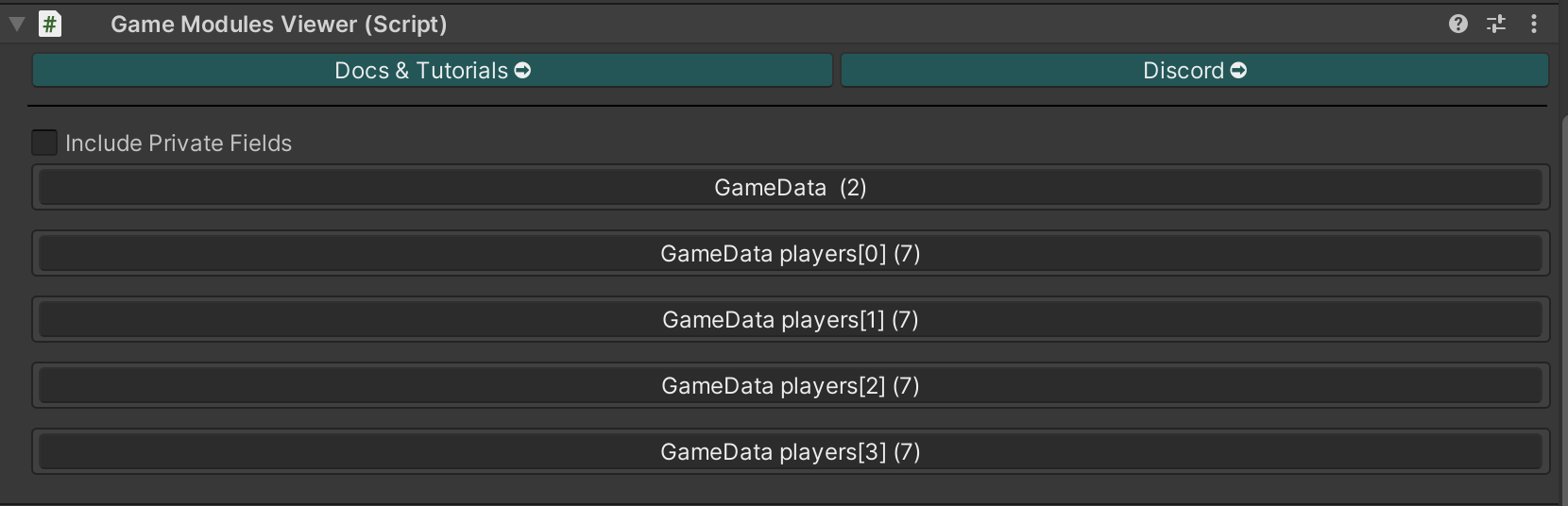
Any class which has viewable types will be displayed in the Game Modules Viewer inspector. Click each to view and manage their values. In this example from the [**RPG Game Demo**](/magic-pig-games/game-modules-4/game-module-demo-projects/party-based-rpg.md), the "Game Data" object has the party stats and quests, along with four entries for each "Actor", who each have their own full set of viewable values.
{% hint style="success" %}
Use the `GameModulesViewer` to add starting [**Stats**](/magic-pig-games/game-modules-4/module-documentation/stats-and-skills.md) to your Actors! Now you can pre-set specific Stats and default values on your prefabs and objects to be used when they are instantiated at runtime.
{% endhint %}
## Get Started Fast
1. Add `GameModulesViewer` to any object which has Game Modules data types, incluing the [`GameModulesActor`](/magic-pig-games/game-modules-4/module-documentation/game-modules-actor.md) class.
2. View the data directly in the Inspector!
{% embed url="" %}
## Visible Data Types
The viewer will display `Stat`, `ItemObject`, `ItemAttribute`, `Condition`, `Quest`, and `Dictionaries` data, including individual fields and lists `GameStatList`, `GameConditionList`, `GameItemObjectList`, `GameItemAttributeList`, and `GameQuestList`.
Each type has a various amount of editing capabilities, and various datapoints displayed. The Inspector script will update each frame, so you can see data changes as they happen.
Check out the pages for each data type to learn more.
## Gear Icon
Many types have a "Gear" icon. Clicking this will expand options for that `GameModulesList` type.
These can also be set by viewing the normal `List` in the Inspector. They are provided here to improve quality of life!